Handling Methods for Failure to Launch the Cashier Desk on the Android End
Problem Phenomenon
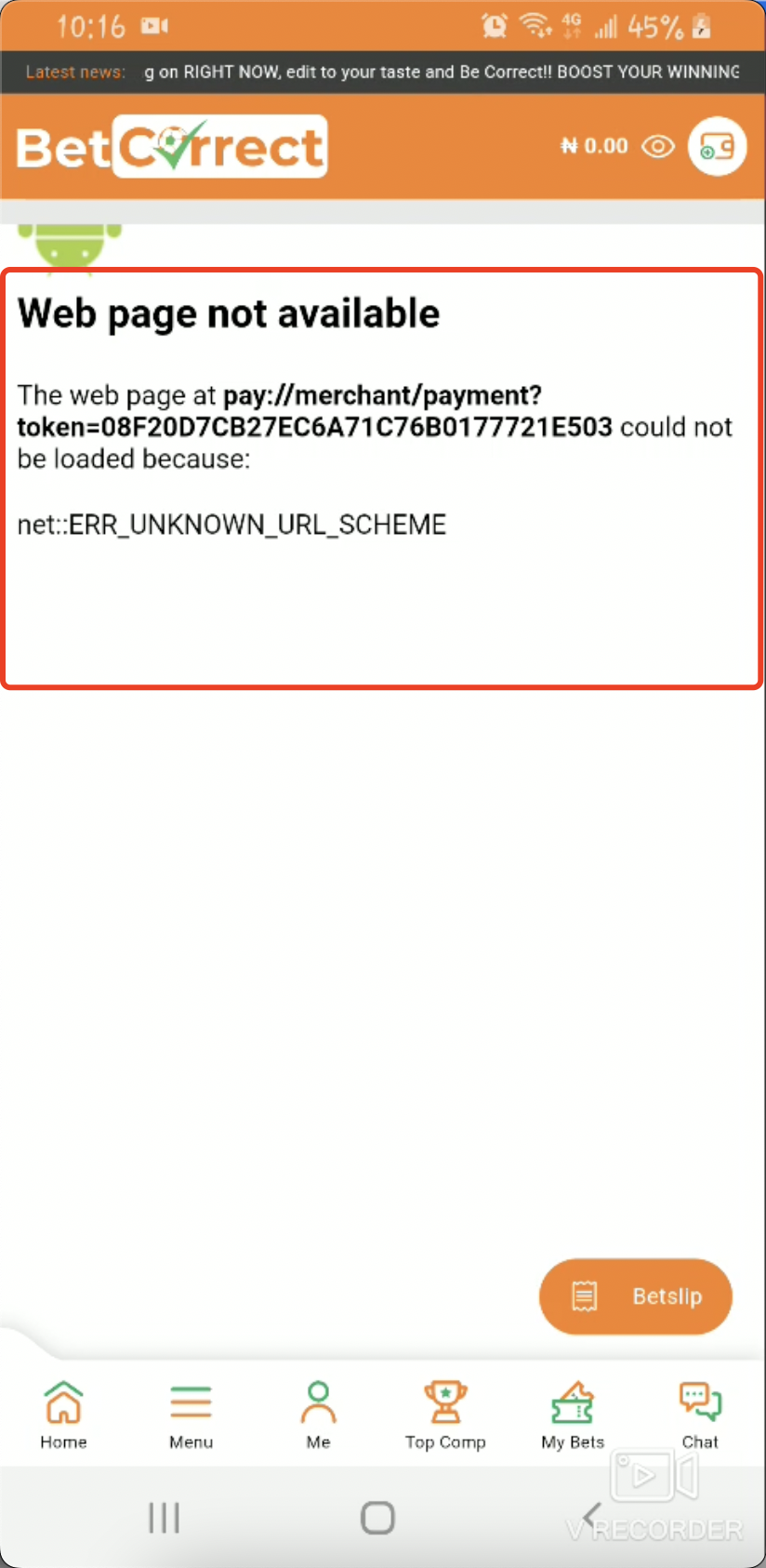
Problem Location and Explanation
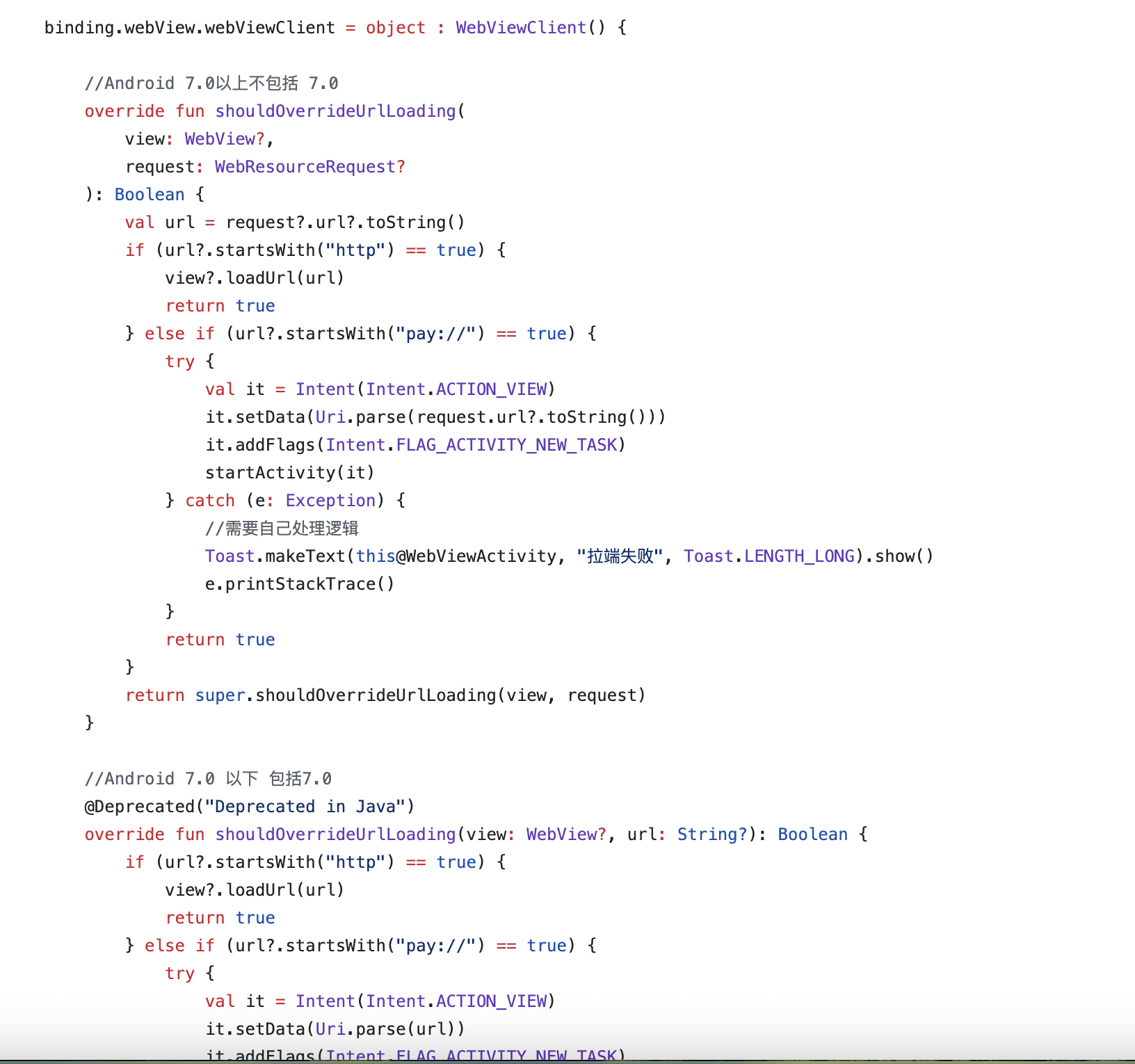
During the payment process of Nigeria Pay With Wallet product and Pakistan Pay with MoMo product, on the H5 page where the user logs in, if the user has installed the wallet app, it will trigger the launching of the wallet app for payment in order to achieve a better payment experience. It is recommended that the Android client of the merchant should be compatible with this scenario and handle the returned pay protocol link in a compatible manner.
Explanation of the Nigeria Pay With Wallet Product Logic
Step 1. The merchant calls the Pay With Wallet pre-order interface to obtain the checkoutUrl address.
Step 2. The merchant opens the checkoutUrl address within the APP.
Step 3. The Android webview opens the wallet login page. PalmPay will first try to launch the PalmPay App. If the launch is successful, it will jump to the inside of the PalmPay App, and the user can make payments without logging in again; if the PalmPay App is not launched successfully, it will stay on the wallet login page within the app, and the user needs to enter the mobile phone number to log in.
Explanation of the Pakistan Pay With MoMo Product Logic
Step 1. The merchant calls the Pay With MoMo pre-order interface to obtain the checkoutUrl address.
Step 2. The merchant opens the checkoutUrl address within the APP.
Step 3. The Android webview opens the wallet login page. PalmPay will first try to launch the Easypaisa or Jazzcash App. If the launch is successful, it will jump to the inside of the wallet App, and the user can pay the order; if the wallet app is not launched successfully, the payer needs to wait for the stk push to pay.
Suggested Solutions
Please implement code protocol support according to the content of the demo: