Authorized Login Product Description
Product Introduction
The developer can obtain the user's public information under the user's authorization throuth the international standard OAuth2.0 authorization mechanism. User's can log in and authorize the PalmPay account to complete the login operation in the merchant App.This authorization can alsoserve as a long-term certificate for external checkout counters.
For Web/H5
Use the API to access the system.
Usage scenario
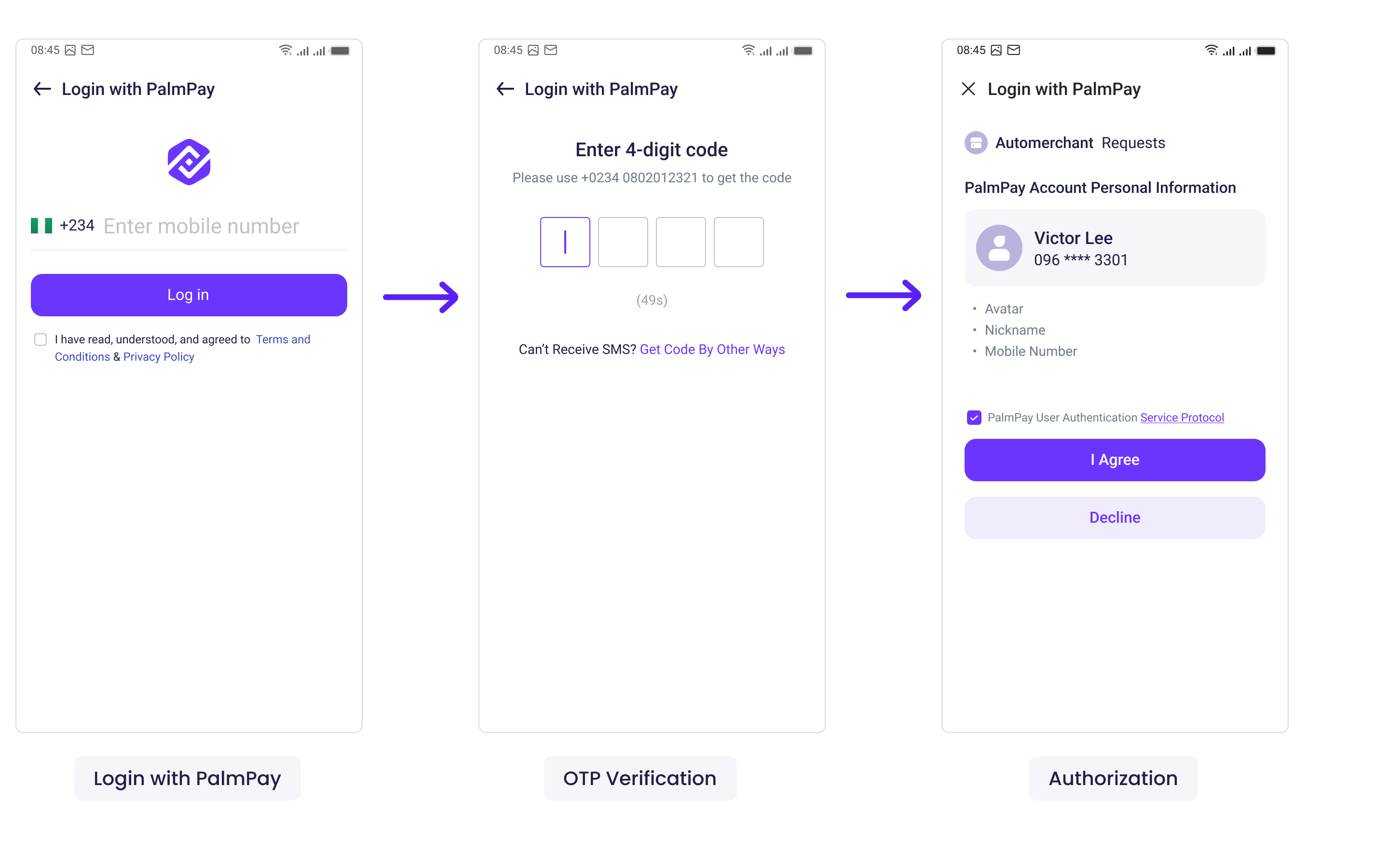
1.The merchant app requests the user's login authorization: When the merchant app initiates a login, users are allowed to log in and authorize the PalmPay account, establishing a binding relationship with the merchant account system.
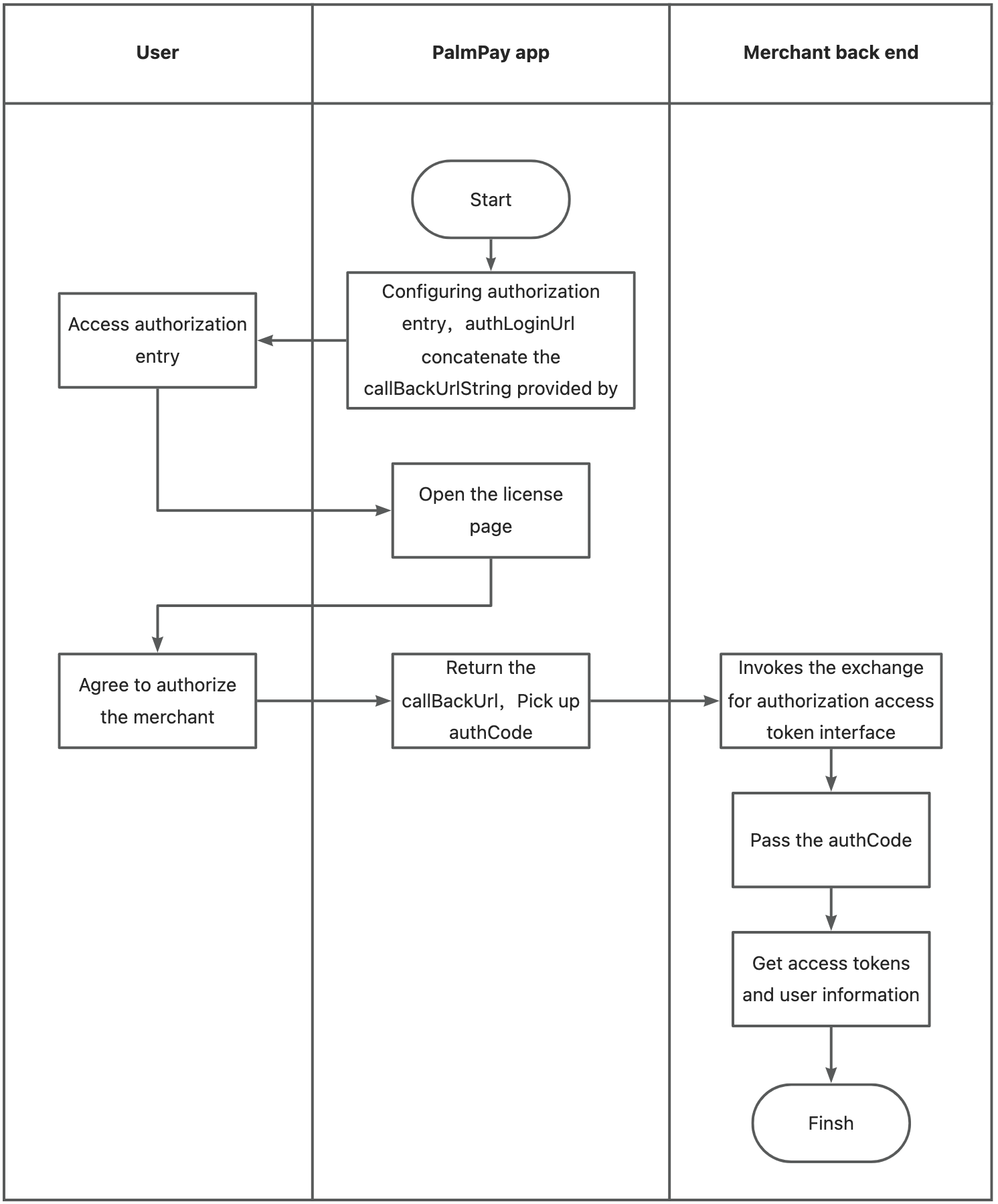
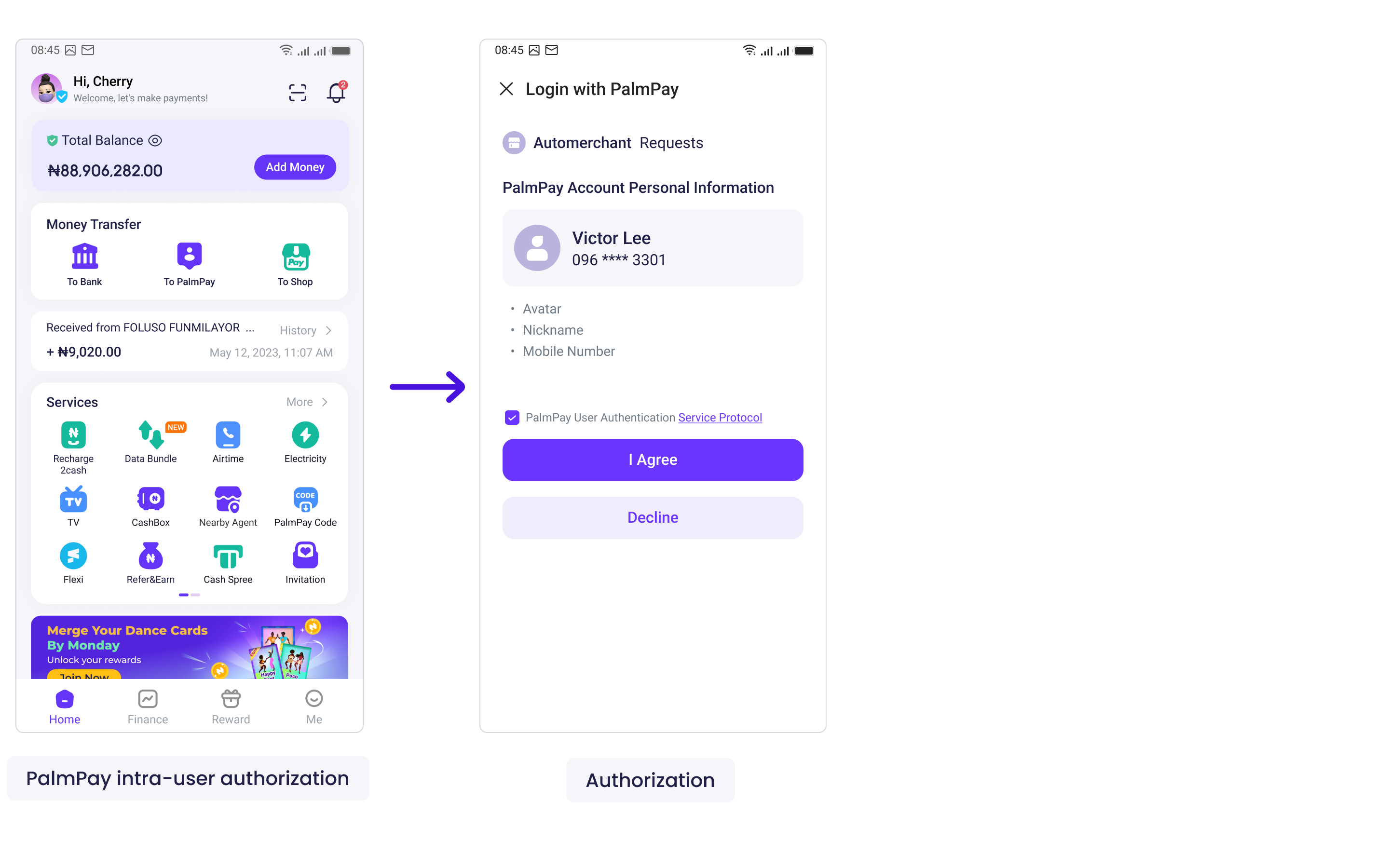
2.User authorization in PalmPay: The PalmPay client can be configured to enable users to transfer their information to merchants through authorization. Users can then be redirected to the merchant page to establish a binding relationship with the merchant account system.
Product Logic Specification
The merchant app requests user login authorization
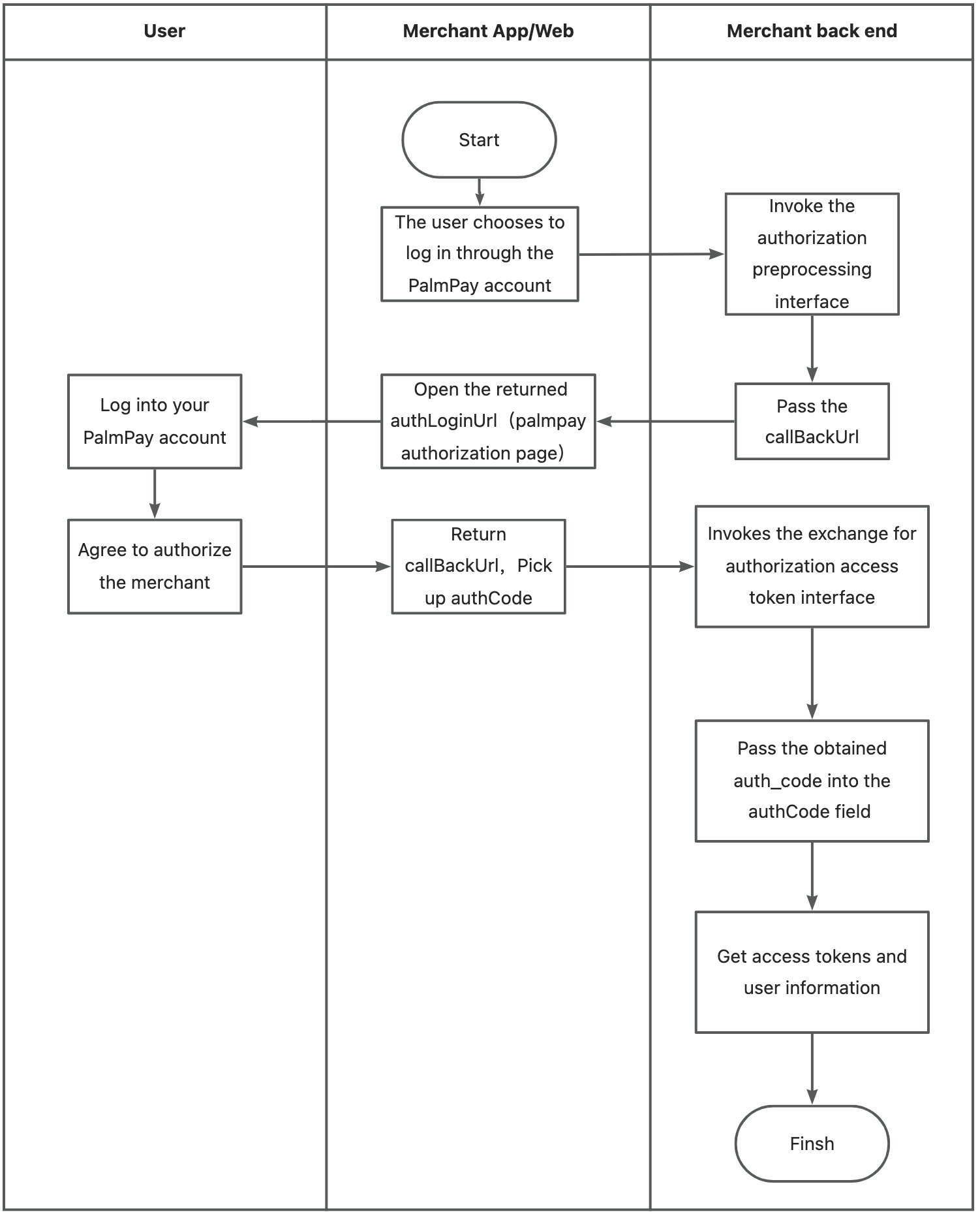
PalmPay intra-user authorization
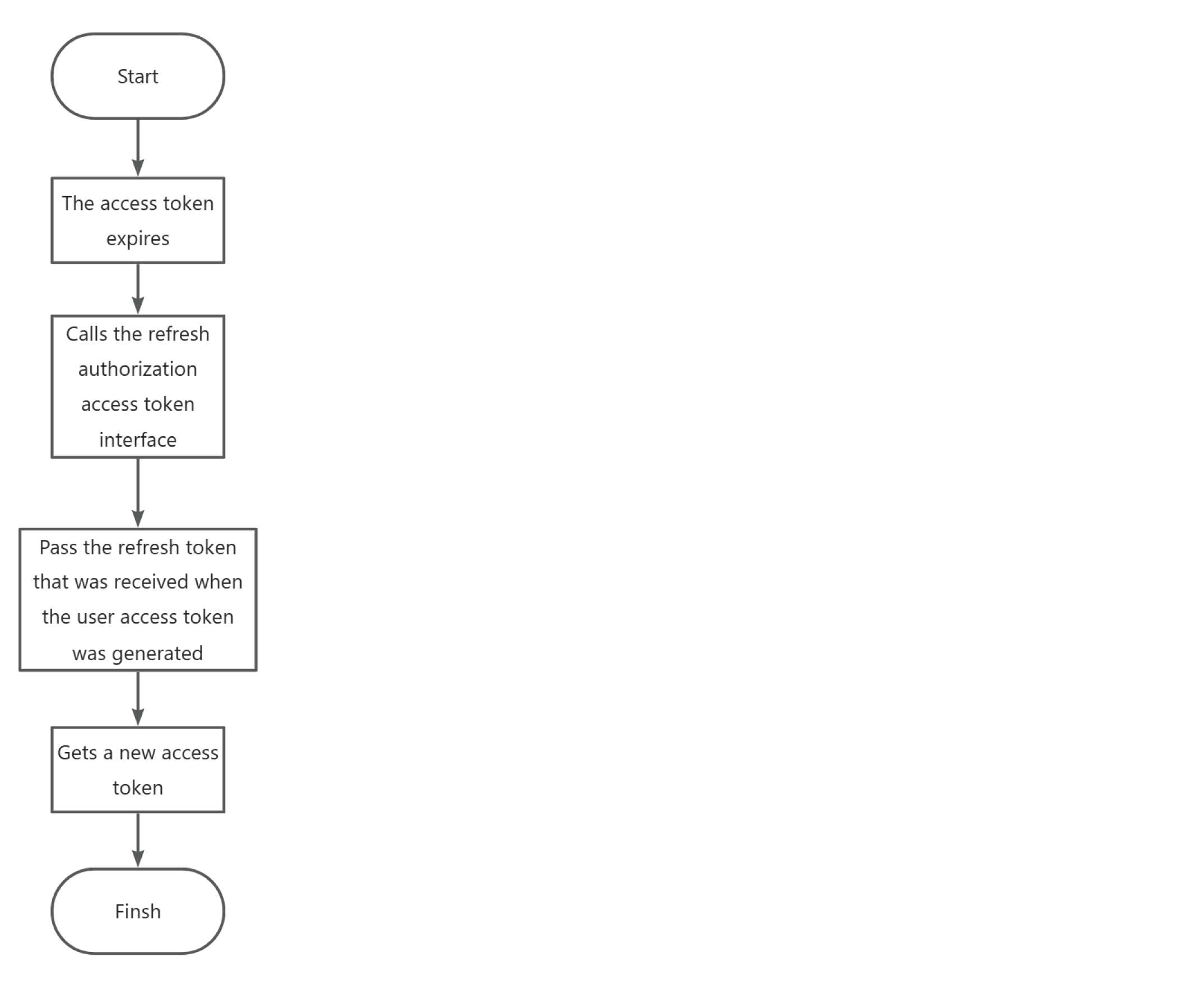
The access token expires
Product Example
The merchant app requests user login authorization
PalmPay intra-user authorization
Preparation are required before adding the device
Please follow the procedures below to complete the merchant account registration and product application. Afterward, obtain and upload the corresponding secret key for subsequent development access.
Guidelines For Merchant Access
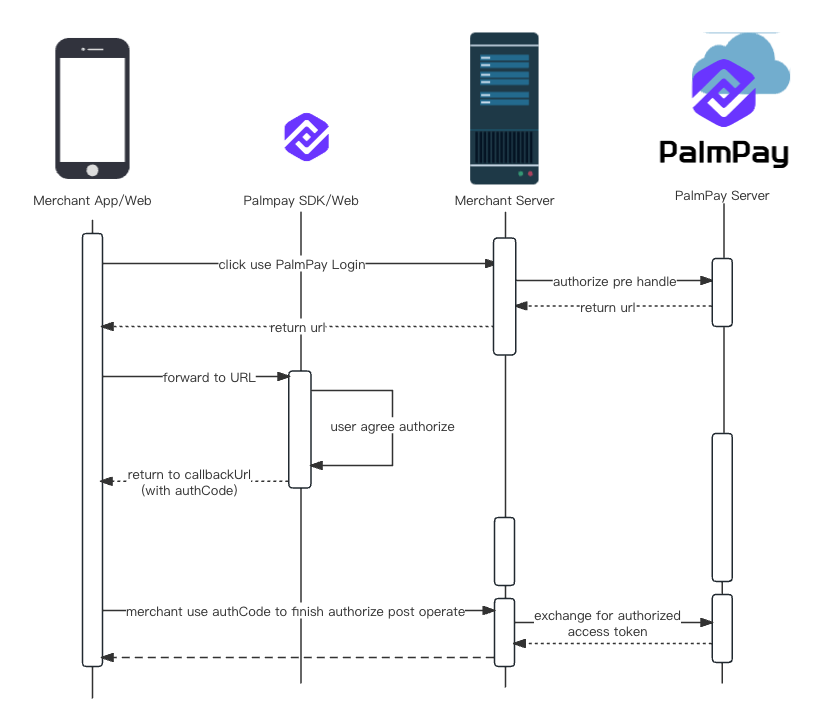
Program Interaction Timing Specification